Day 2 Ops↑
Day 2 Ops helps you look after your Kubernetes environments after your applications are deployed. You can open it from Day 2 Ops in the CAEPE menu. It has the following sections:
- Recommendations: configuration, platform, and security issues found across your environment, grouped into Clusters, Workloads, and Security.
- Workload Optimization: processing power (CPU) and memory requests compared against actual usage over time.
- Cost Summary: where your cluster spend is going, broken down by cluster, namespace, application, deployment, and pod.
- Sustainability Schedules: scale deployments to zero outside working hours to cut cost and energy use.
AI Remediation↑
AI Remediation lets CAEPE apply a recommended fix for you. Its availability depends on the section:
| Section | AI Remediation |
|---|---|
| Workload Optimization | Available now. See Apply a recommended fix. |
| Recommendations: Clusters and Workloads | Coming soon. Until then, apply the suggested action yourself. |
| Recommendations: Security | Not planned. Security fixes may require code or library changes, so you must apply them manually. |
AI Remediation and recommendations need an AI provider credential. See Set up Recommendations.
Recommendations↑
CAEPE reviews your Kubernetes environments and presents potential issues in plain language. Each recommendation includes a suggested action that can help you improve reliability and resource use.
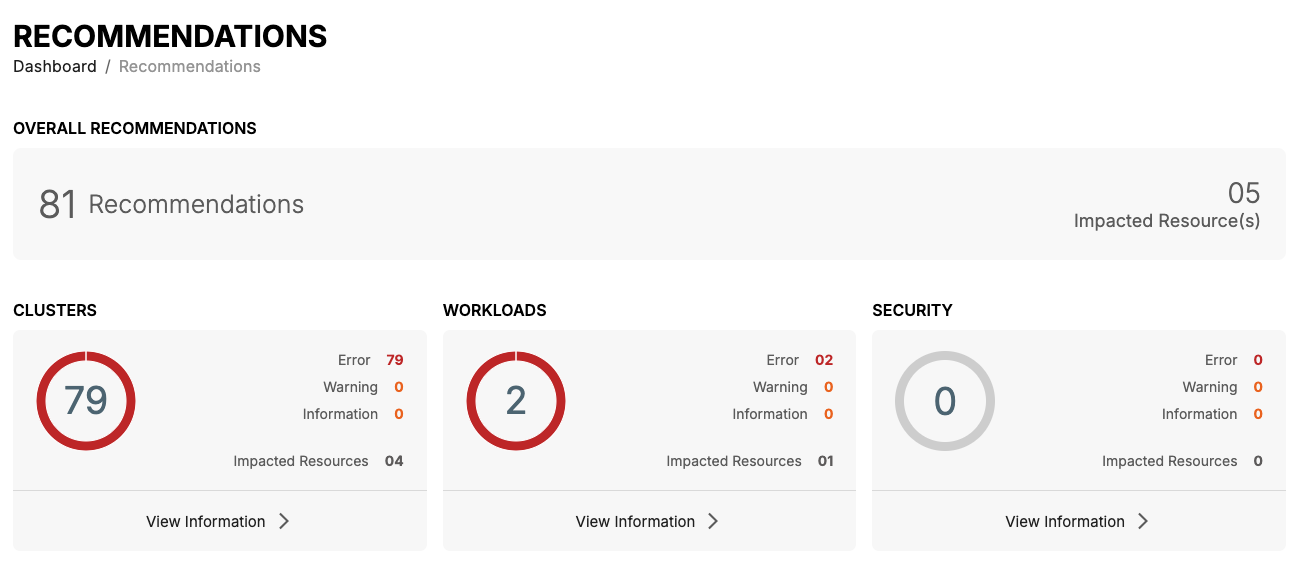
The overview shows the total number of recommendations and groups them by category. Select View Information under a category to see its recommendations.
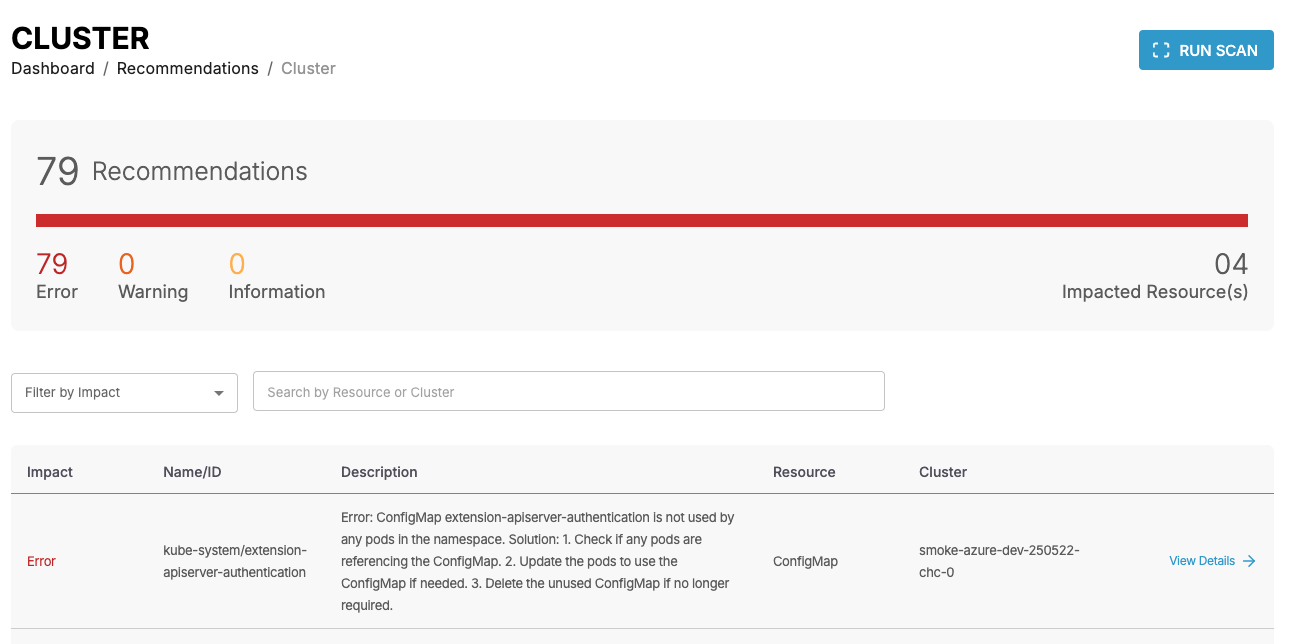
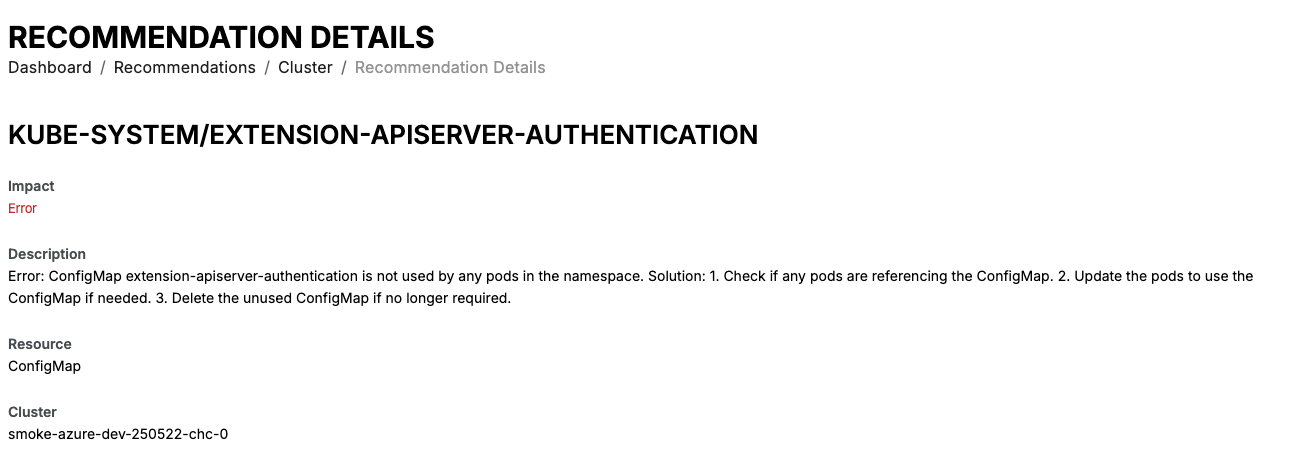
You can filter recommendations by impact or search for a resource or cluster. Select Read More or View Details to read more about an issue and the suggested action.
Clusters and Workloads↑
Clusters recommendations cover configuration and platform issues found on your clusters. Workloads recommendations cover configuration issues found in the workloads running on those clusters.
To fix an issue, read the suggested action in the recommendation details and make the change yourself, or ask your cluster administrator to make it. After the change, select Run Scan to check that the recommendation has cleared.
Note
AI Remediation for Clusters and Workloads recommendations is coming soon. When it is available, CAEPE will be able to apply supported fixes for you.
Security↑
Security recommendations cover security issues found across your environment. CAEPE does not apply security fixes for you, because they may require changes to your application code or libraries. Apply each fix manually, then select Run Scan to check that the recommendation has cleared.
Set up Recommendations↑
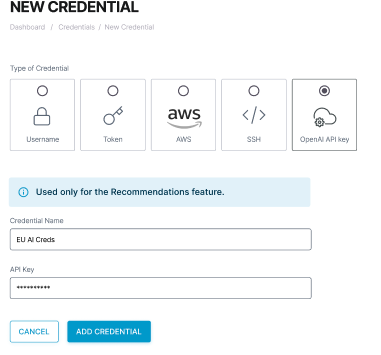
If CAEPE asks for an OpenAI credential, select Add OpenAI Credentials.
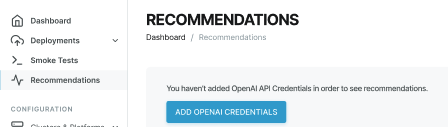
In the credential form, make sure OpenAI API key is selected. Complete the following fields, then select Add Credential:
- Credential Name: a unique name for the credential.
- API Key: the API key from your AI provider.
- Base URL: the API address of your AI provider. For OpenAI, enter
https://api.openai.com/v1. - Model: the model that CAEPE uses to create recommendations and fixes. See Supported OpenAI models.
Important
Base URL and Model are required for recommended fixes to work. Enter the base URL exactly as your provider gives it, without a trailing slash. For example, use https://api.openai.com/v1, not https://api.openai.com/v1/.
Supported OpenAI models↑
CAEPE currently supports the following OpenAI models. Enter the model name exactly as shown in the Model field.
| Model name | Primary use case |
|---|---|
gpt-4o |
High-intelligence, flagship multimodal model for complex tasks. |
gpt-4o-mini |
Fast, lightweight, and highly cost-efficient model for everyday tasks. |
o1 |
Advanced reasoning model optimised for complex STEM, coding, and multi-step logic. |
o1-mini |
Faster, cost-efficient reasoning model tailored specifically for coding and maths. |
After you add the credential, CAEPE automatically starts a scan. To start another scan, open the cluster, workload, or security section and select Run Scan.
Info
See Credentials for more information about adding and managing credentials.
Note
Other OpenAI-compatible providers may work but aren't officially supported yet.