CAEPE-Go↑
CAEPE-Go uses three MCP servers:
- CAEPE MCP Server: Application and deployment management
- Kubernetes MCP Server: Kubernetes cluster operations
- GitHub MCP Server: GitHub repository and issue management
which lets you interact with Kubernetes and CAEPE through natural language, making it easier to perform operational tasks without deep technical knowledge. From the CAEPE App you can initiate, monitor, and complete tasks using CAEPE-Go for a more efficient and accessible operational experience.
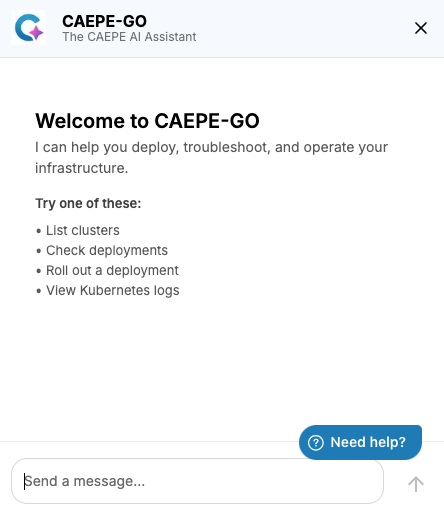
This guide shows you how to configure Github OAuth and use CAEPE-Go from within the CAEPE App. You can access it by clicking the CAEPE-Go icon in the top-right corner of the menu bar, next to the alert button.
Prerequisites
- You need to provide OPENAI API Key to CAEPE Dev Ops
- You need to create Github OAuth app at the Organization level, refer to Github docs
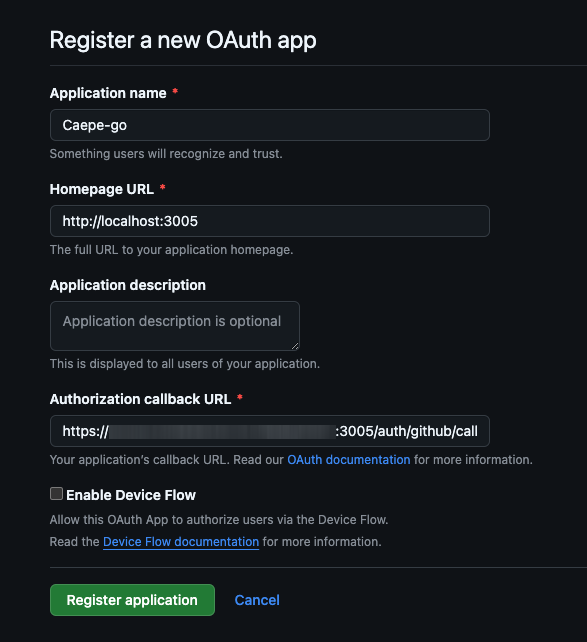
Enter the Application name, set the Homepage URL to http://localhost:3005 and Authorization callback URL to https://ADD YOUR INSTANCE NAME HERE:3005/auth/github/callback
CAEPE-Go opens an interactive chat interface where you can enter requests in plain language, such as "list functions" or "list clusters." It responds with structured outputs, including available clusters, supported actions, and operational capabilities such as managing deployments, retrieving logs, or working with Kubernetes resources.
For Github Oauth Setup↑
Enter any Github related operations in the textbox and the following image is displayed.
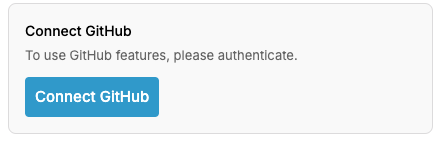
Click Connect Github button to use the github MCP server
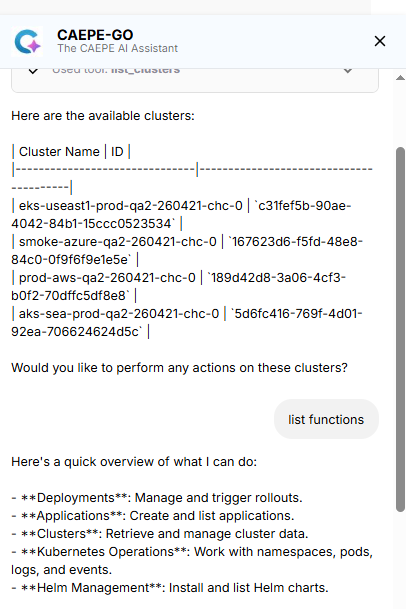
This interaction model lets you quickly explore system functionality, execute commands, and receive guidance without navigating complex menus or using command-line tools.